
An Amoeba Media product · Pennsylvania Wilds
Trail Sherpa
Community-powered trip planning and offline navigation for multi-day backpacking in the Pennsylvania Wilds. Local knowledge, shared.




- Role
- Product strategy, UX & UI design, brand, engineering, data
- Platforms
- iOS, Android, web planner
- Timeline
- First commit to both app stores in five months (Mar–Aug 2026)
- Stack
- SvelteKit, shadcn-svelte, Capacitor, MapLibre, PMTiles, Supabase/PostGIS, Cloudflare
- 124 hikers signed up in the first months after launch
- 122 trail condition reports posted by the community
- 5 mo from first commit to the App Store and Google Play
- 84% of commits pair-programmed with AI agents, human-directed
The problem
The Pennsylvania Wilds has some of the best backpacking in the eastern U.S. and some of the worst trail information. Hikers plan trips from out-of-print guidebooks, forum threads and Facebook groups, then lose cell signal at the trailhead. Water sources dry up, blowdowns block the trail, campsites move. The people who know these trails best are local volunteers, and what they know rarely makes it online.
Who it's for
On day one, we wrote personas from Pennsylvania hiking groups on Facebook and the hikers we'd met on the trail. They're composites, and every trait is real. Each one shaped something that shipped.
John The peak bagger
Expert, fast, 10-plus-mile days. Thinks in logistics: water, campsites, solitude. Scouts ahead and waits at the vista.
Shaped: Itinerary by mile, next-water distance, pace-aware arrival times
Jane The photographer
Experienced but unhurried. Stops for every waterfall and trims a 12-mile day to 8. Gets turned around where the blazes fade.
Shaped: "Am I on trail?" badge, editable days, vistas and waterfalls as waypoints
Amy The solo first-timer
Woods-wise, planning her first solo trip. Worried about safety without signal, about bears, and about where to camp.
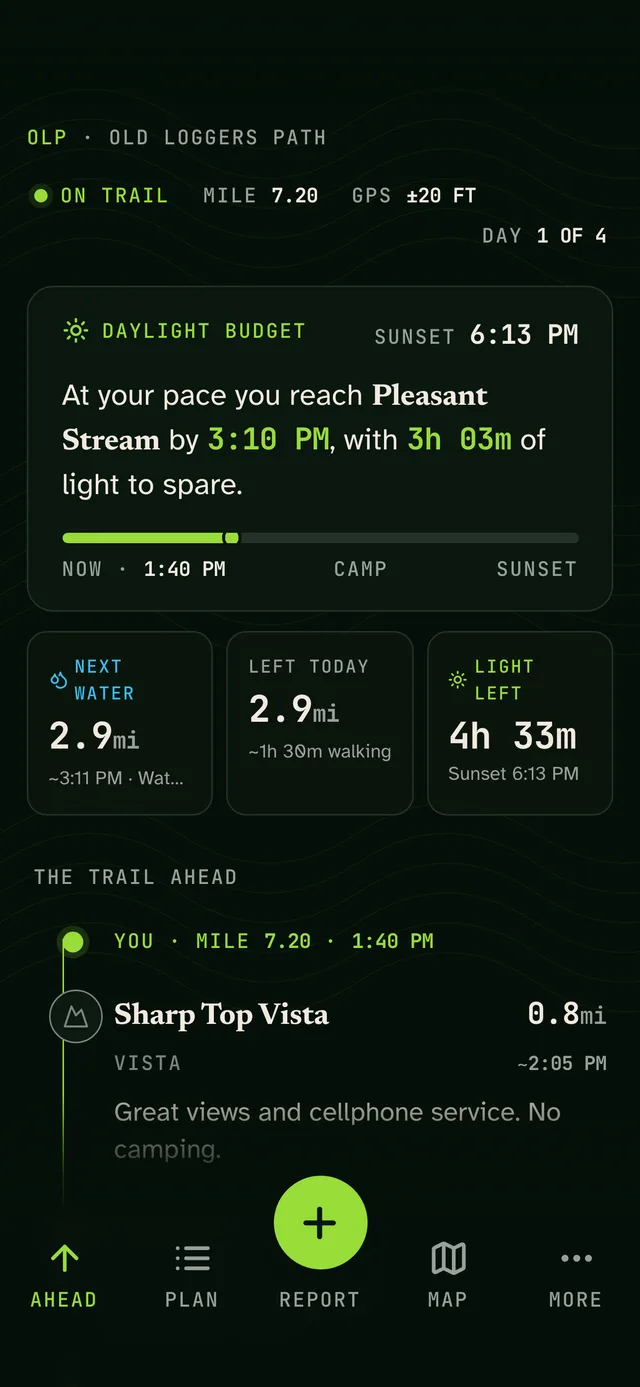
Shaped: Offline trail packs, campsite waypoints, wildlife reports, daylight budget
Andy The city beginner
New to carrying weight and finding water. Forgot his filter and headlamp. Keeps checking for a signal.
Shaped: Next-water countdown, cell-signal waypoints, a heavy-load pace, quick-start itineraries
Bailey The visitor
In town visiting family and new to the region. Wants an easy overnight, with a way out if it rains.
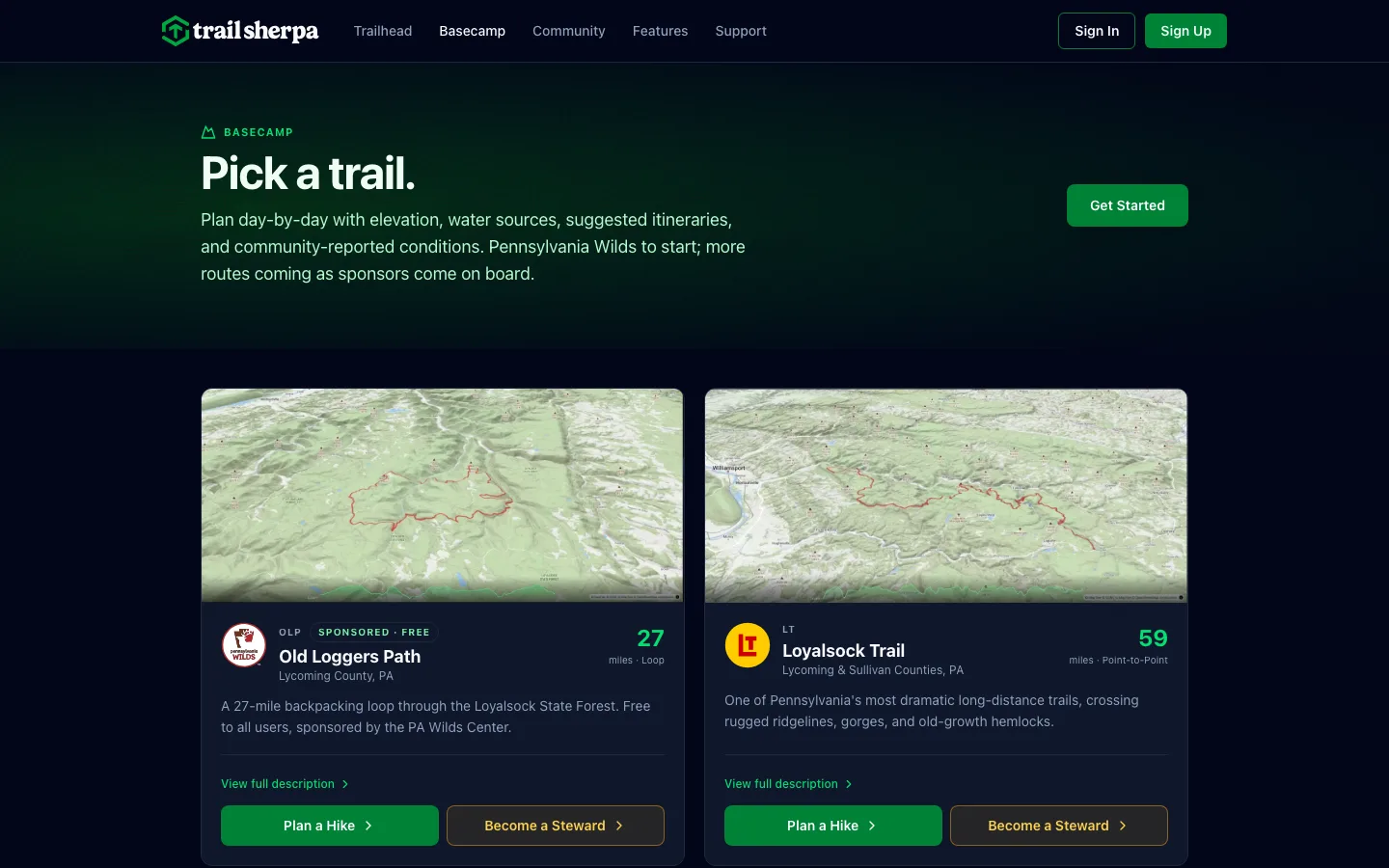
Shaped: Basecamp trail picker, suggested itineraries, road crossings on the map
Jim, Karen & Jerry The locals
Volunteers who maintain the trails, guard them and want a say. Opinionated, sometimes with each other.
Shaped: Steward alerts by trail segment, two-tap condition reports, a community with no downvotes
From paper to prototype
There was never a Figma file. Trail Sherpa went from paper sketches straight to a working prototype, and the design evolved in code as requirements changed and new ideas came up. Designing in the real medium meant every decision was tested on a real phone with real trail data from day one. Change is the only constant, so we built for it.
It started with a hand-coded landing page for the grant application in March. April was all paper, sketching flows and screens while we waited on the PA Wilds Center. The grant came through on April 24, and the app build started in May. A wishlist survey on the landing page drew almost no answers, so we learned where hikers already were: Facebook groups and the trail itself.
Two apps, two jobs
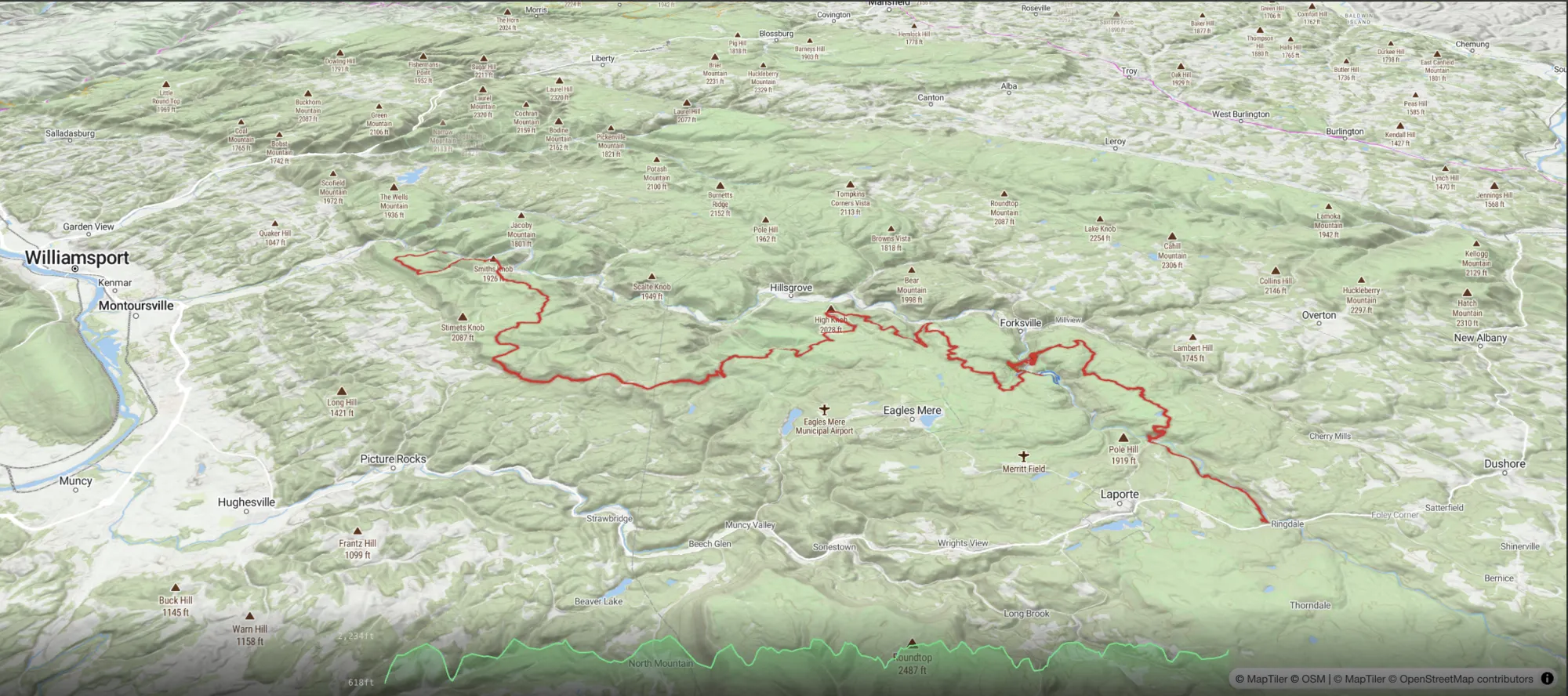
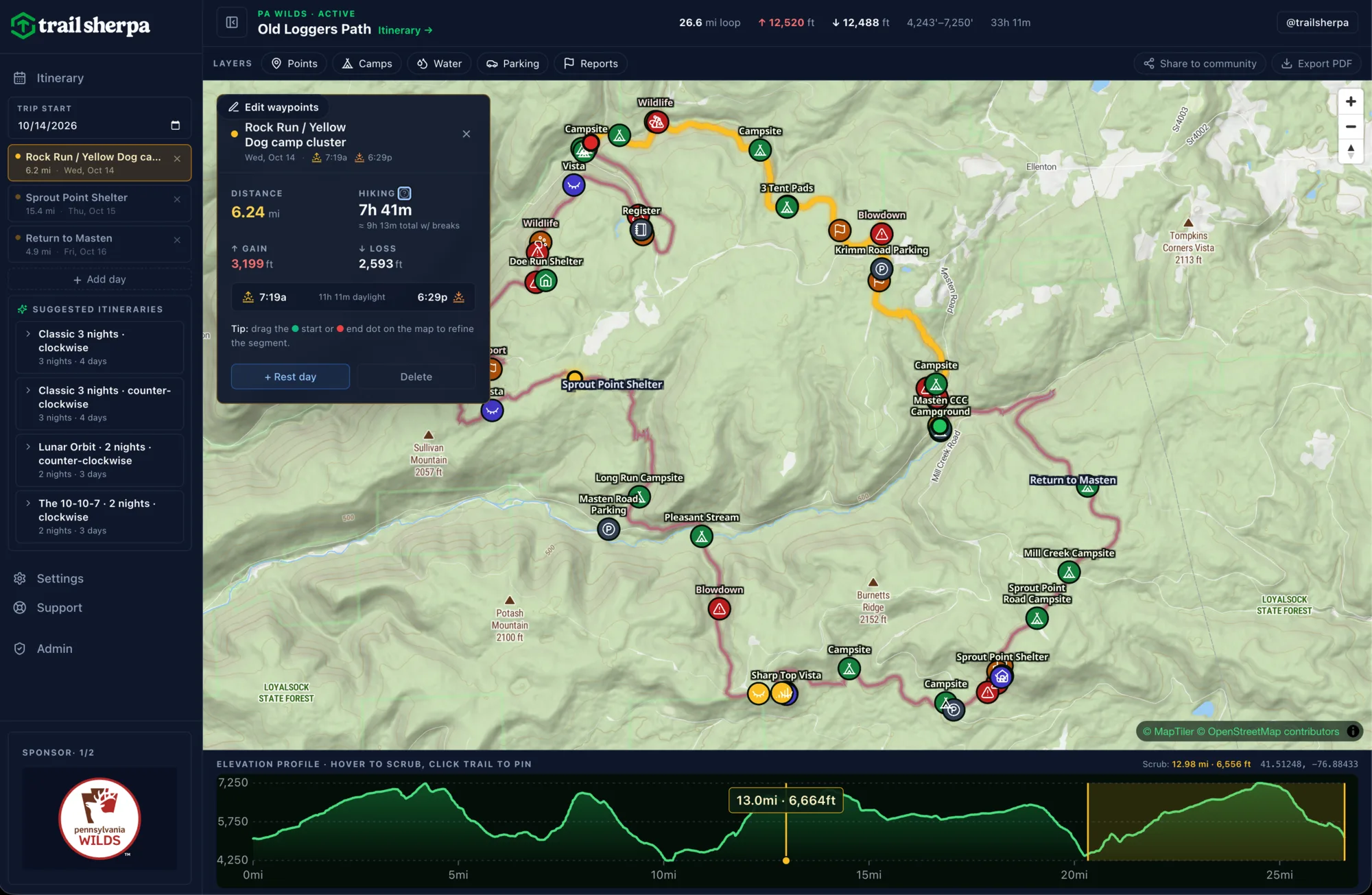
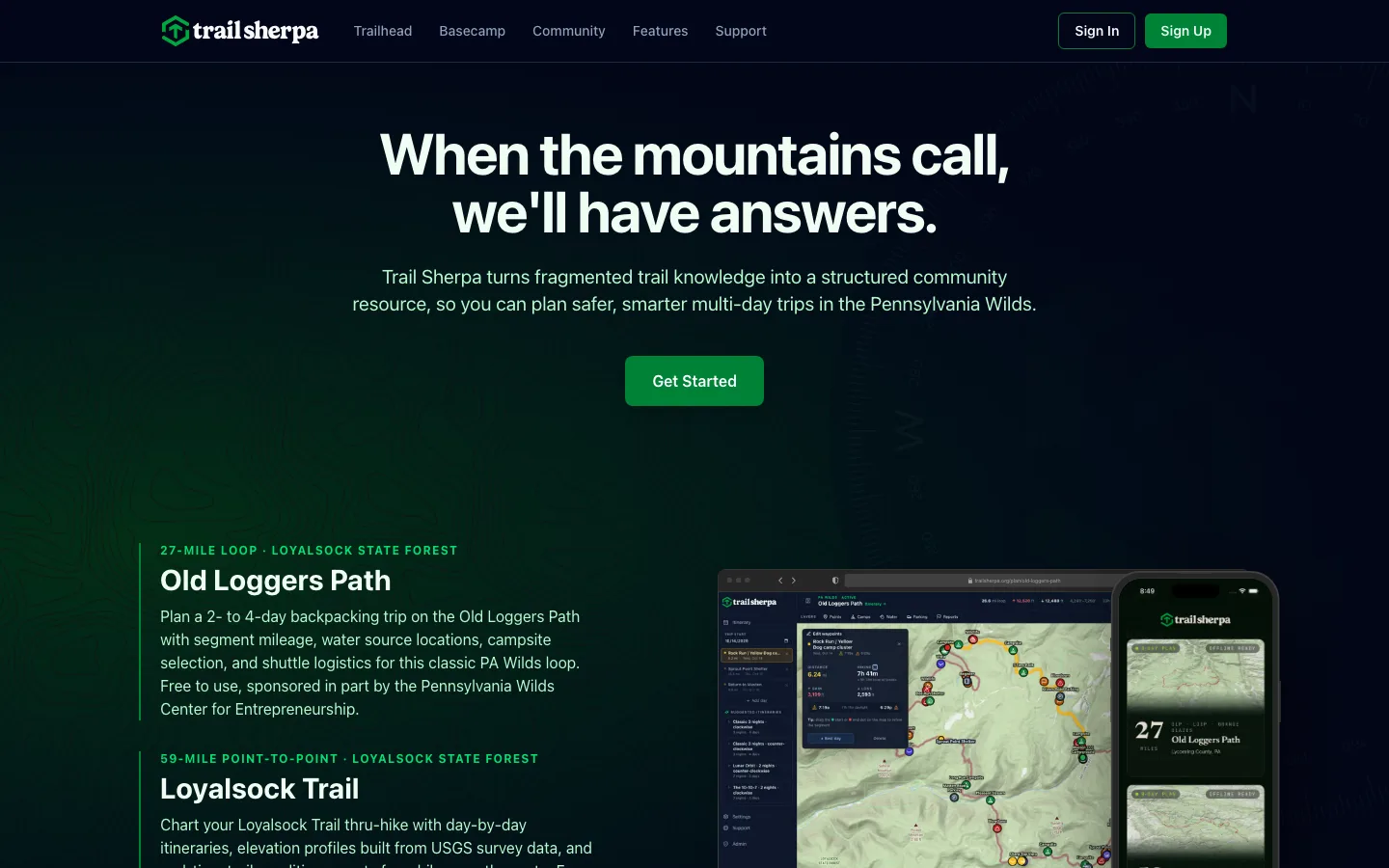
Planning a trip at a desk and following a trail in a valley are different problems. Early on we split Trail Sherpa into two products that share one data layer. The web planner works like a map-room table, with click-to-segment itineraries, elevation profiles, mile markers and ready-made trip templates. The mobile app is built for the trail itself. A marketing site and an admin dashboard round out the product.
Designing a field instrument
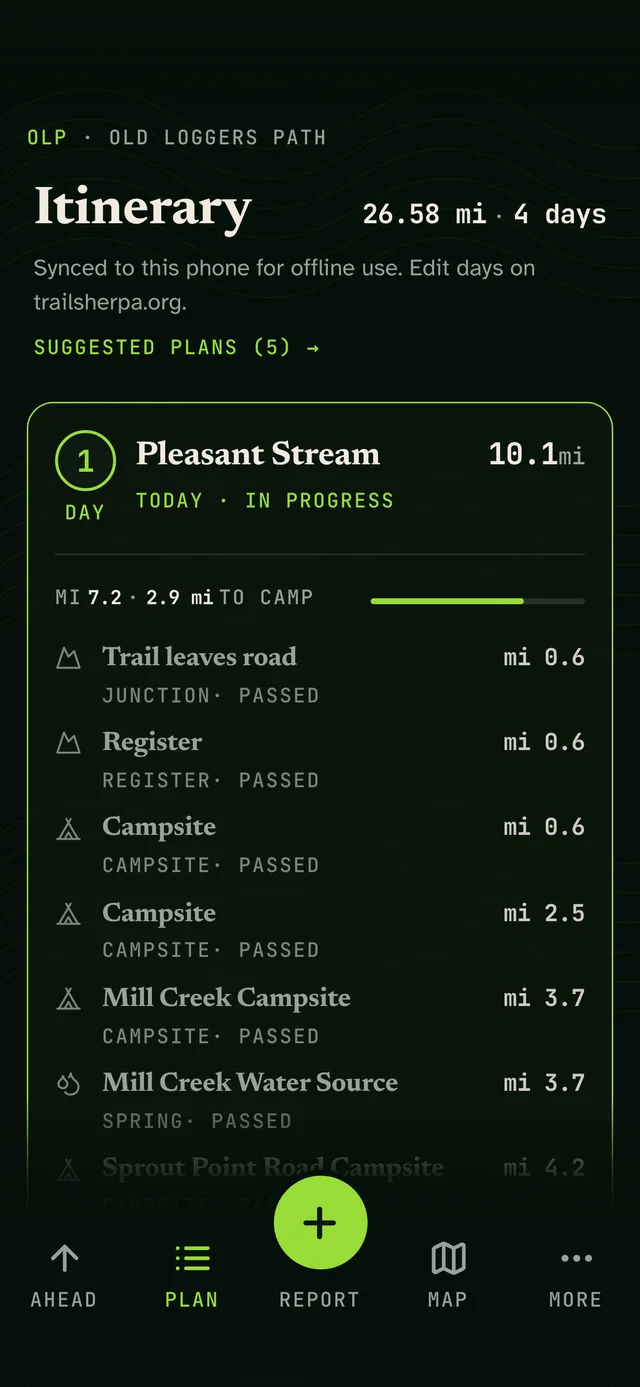
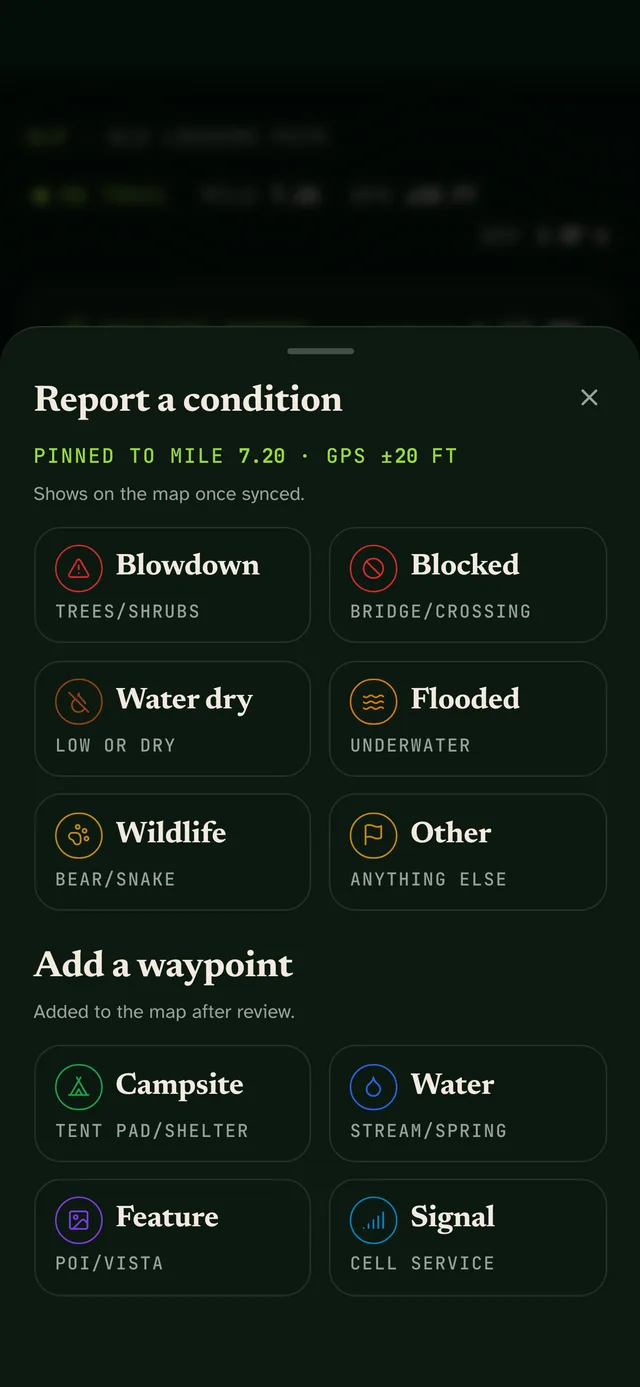
On the trail, a phone is a tool you check in bright sun, with cold hands, while you're walking. So the mobile app doesn't look like the website. It has its own field-instrument design language: a high-legibility typeface built for low vision, tap targets of 64px and up, near-zero motion, and one bright accent color reserved for live readings like GPS. The main screen is meant to be read at a glance. How far to the next water source? How much daylight is left?
Built for no signal
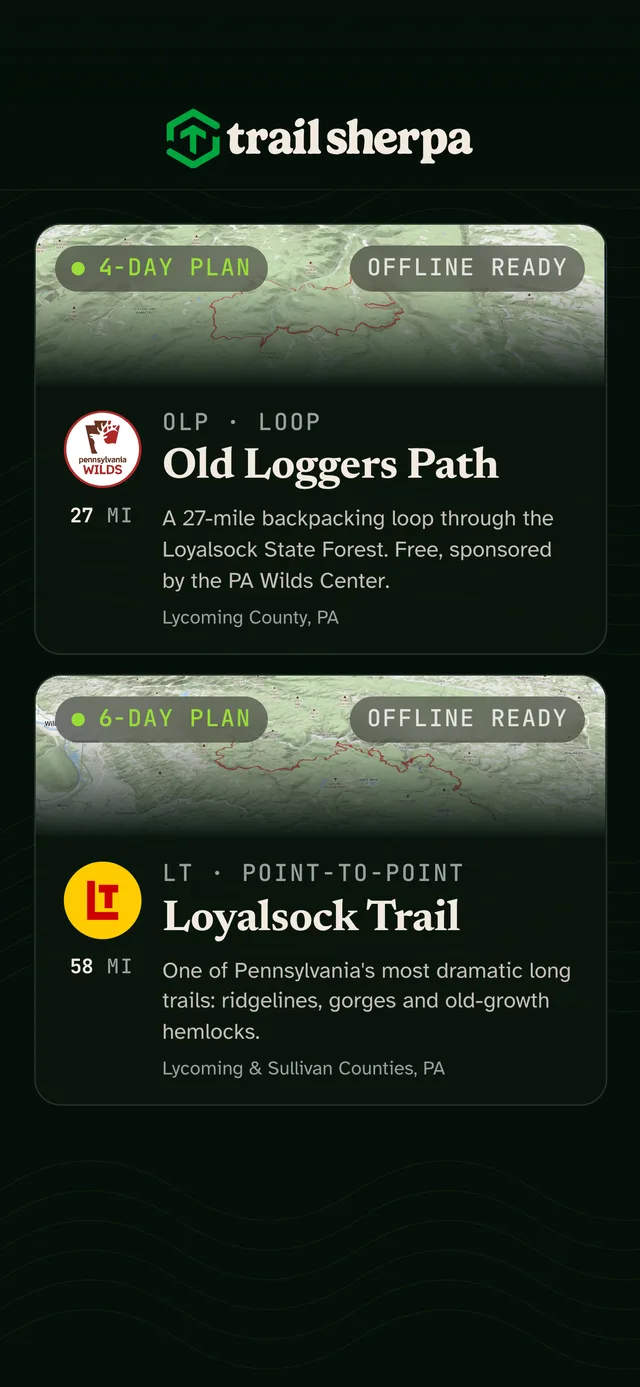
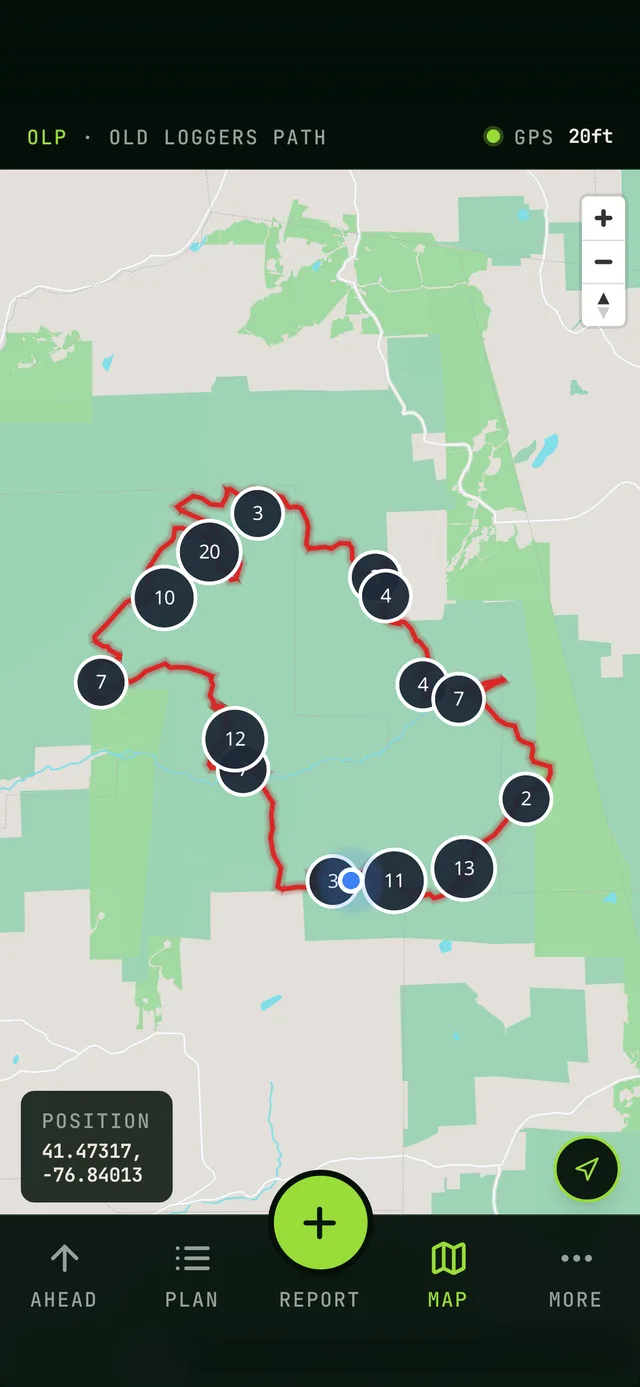
Most of these trails have no cell coverage, so every trail ships as a downloadable pack: vector basemap, elevation and waypoints, about 20 MB for the Old Loggers Path. After field-testing the app on a three-day trip, we rebuilt sync to be fully offline-first. Reports and photos save to the phone and upload when a connection comes back. That change came from walking the trail with the product, not from a spec.
One app, three front doors
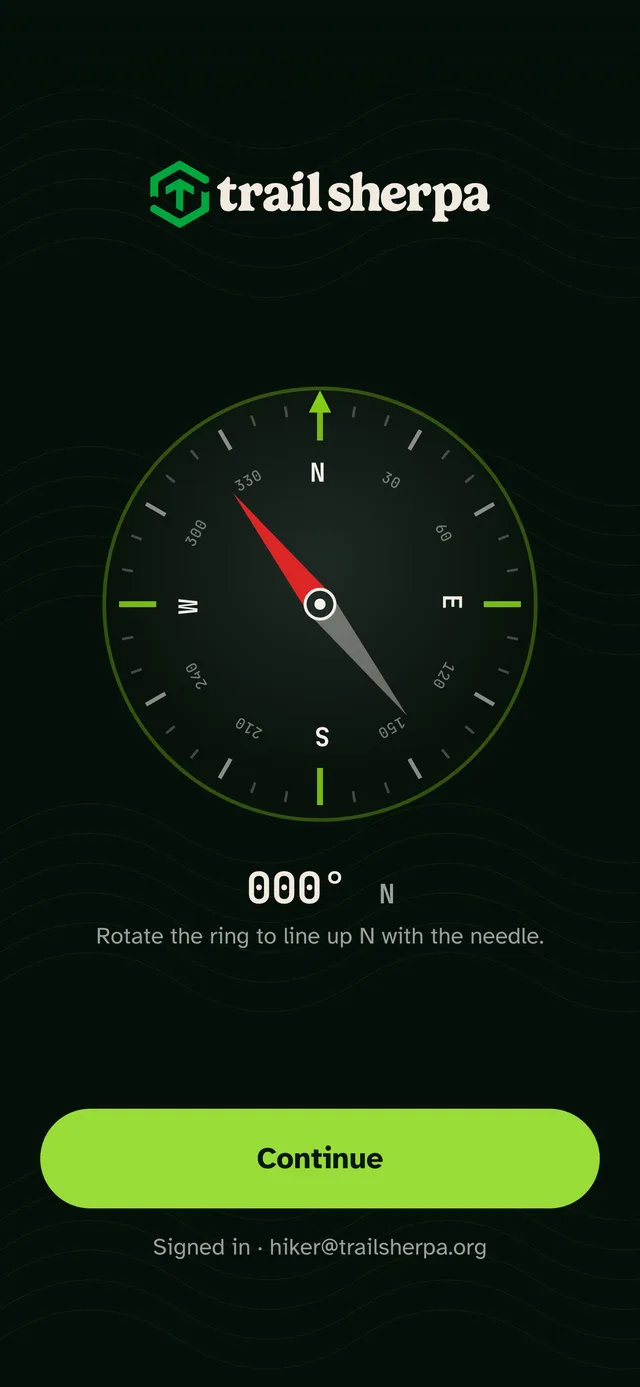
The on-trail app is a progressive web app at its core. The same code ships to the App Store and Google Play through Capacitor, and installs straight from the browser at app.trailsherpa.org for anyone who'd rather skip the store. It opens on a working compass, whose needle follows the phone's orientation sensor: a small nod to the paper map and compass most backpackers still carry.
Community without the toxicity
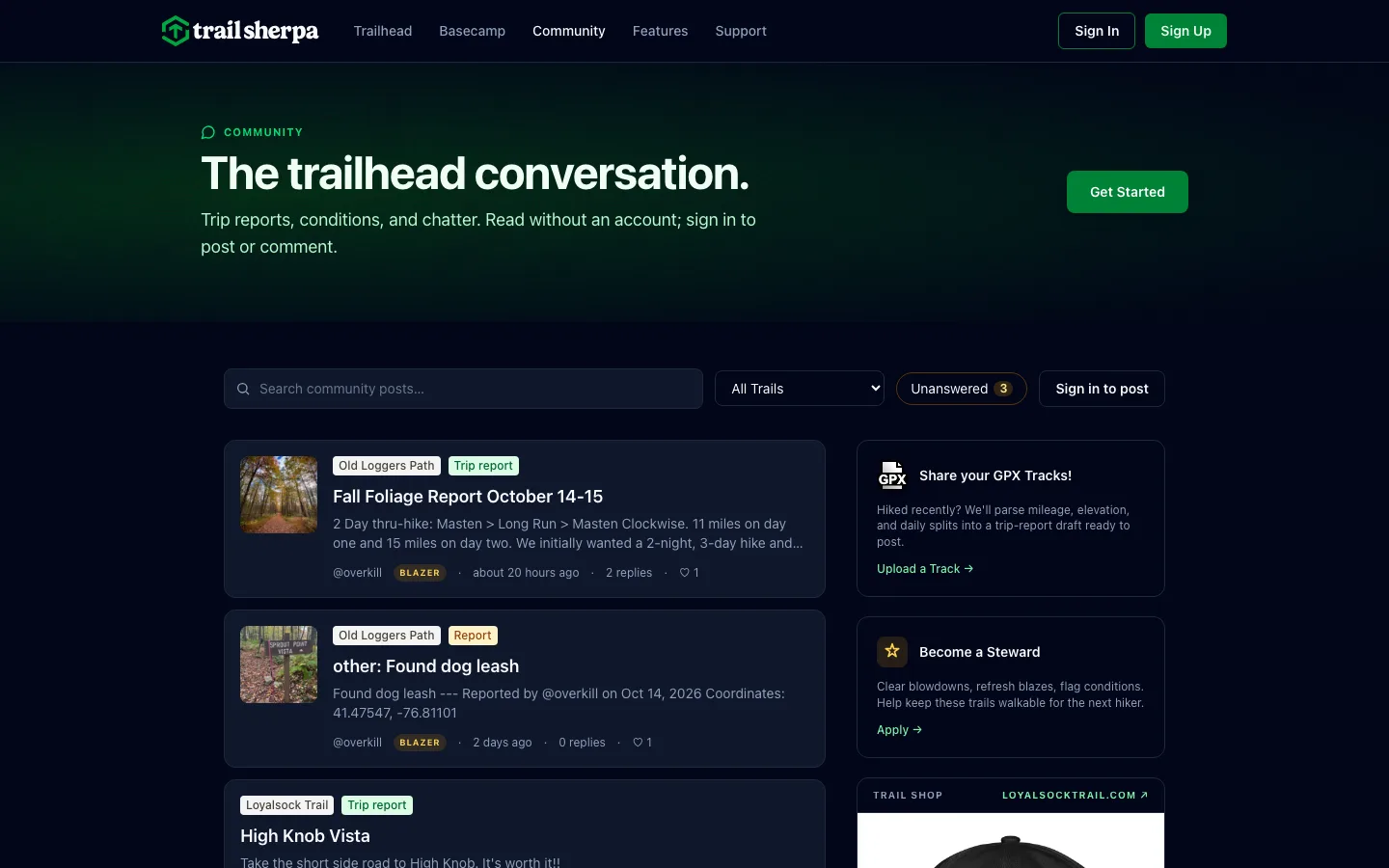
Hikers and trail stewards post condition reports pinned to a mile marker. To keep the community helpful, there are no downvotes. People can like or save a post, and replies nest one level deep so threads stay readable on a phone. Volunteer stewards get notified about the trail segments they maintain.
Measuring what matters
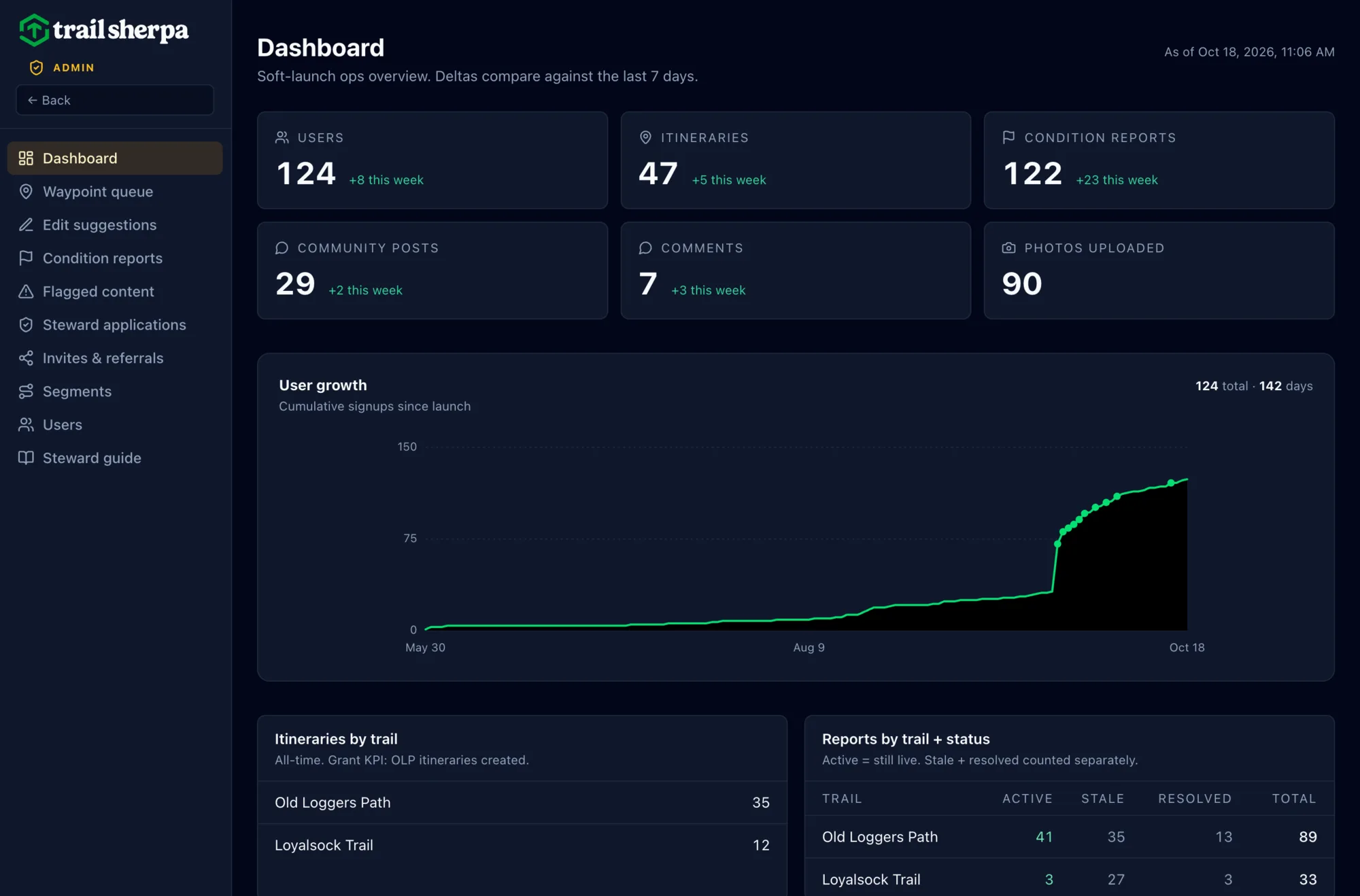
A grant-funded product has to show its impact, so the admin dashboard was designed as carefully as the app. It tracks signups, itineraries per trail (the grant's key measure), and condition reports by status, so stale reports get noticed and resolved. Moderation queues, steward applications and referrals all live in the same place, and the same numbers go straight into reports for our partners.
| Measure | What we tracked | Result |
|---|---|---|
| Success measure | Itineraries planned per trail, agreed with the PA Wilds Center before launch | 47 itineraries by mid-October, 35 on the grant trail |
| Acquisition | Hiker sign-ups | 124 hikers; sign-ups more than doubled within days of September's outreach |
| Contribution | Condition reports and photos from hikers | 122 condition reports and 90 trail photos |
| Data quality | Trail mileage against published distances | Error cut from 8% to 3% |
| Revenue | Paid trail packs | Held at $0 on purpose: the first season is free, to build the audience for spring |
The hard calls
Every product is a series of trade-offs. These eight shaped Trail Sherpa the most, from the decision log we kept as we built.
Svelte in a React world March 2026
- Problem
- Most product teams build in React, and its ecosystem is the biggest. But this app had to be fast on older phones with weak signal, and maintainable by a very small team.
- Options
- React and Next.js, the industry default, or Svelte and SvelteKit.
- Chose
- SvelteKit, with shadcn-svelte for accessible UI primitives and scoped CSS in every component. Svelte compiles components to plain DOM updates with no virtual DOM, so less code ships to the phone, and components stay short and readable.
- Trade-off
- A smaller ecosystem and hiring pool, and a few libraries need Svelte ports. The component patterns, TypeScript and design system carry straight over to React.
Open maps over Mapbox April 2026
- Problem
- The maps needed vector tiles, custom layers and full offline support, without per-view pricing that grows with every hiker.
- Options
- Mapbox GL, the richest and licensed, or its open-source fork, MapLibre.
- Chose
- MapLibre with MapTiler outdoor tiles and PMTiles packs on Cloudflare R2, so a whole trail downloads as one file.
- Trade-off
- No Mapbox turn-by-turn directions. Not needed on a footpath, and flagged to revisit if that changes.
Split planning from hiking May 2026
- Problem
- Desk planning with a mouse and on-trail use with GPS on a phone battery were sharing one app, and the code was already forking.
- Options
- One responsive app, or two apps on one data layer.
- Chose
- Two apps: a web planner and an on-trail app, sharing map, data and UI packages.
- Trade-off
- Two builds and two deploys to maintain. It paid off as soon as the trail app needed its own look.
A field instrument, not a fitness app May 2026
- Problem
- The trail app had to read in direct sun, at a glance, with cold hands, and not feel like Strava.
- Options
- Reuse the planner's design system, or design for the trail.
- Chose
- A separate design language: a low-vision typeface, 64px+ tap targets, near-zero motion, one accent reserved for live readings.
- Trade-off
- Two products that look like siblings rather than twins.
Rebuild the trail data June 2026
- Problem
- The first trail lines came from hikers' GPS archives. The Loyalsock Trail measured 8% off its published mileage, and waypoints drifted.
- Options
- Hand-correct the drift, or rebuild from OpenStreetMap and USGS elevation.
- Chose
- Rebuild, with reusable fetch, elevation and QA scripts for every trail.
- Trade-off
- About three weeks mid-build. Error fell from 8% to 3%, and two trails now match their published miles.
Community without downvotes June 2026
- Problem
- Hikers needed to talk conditions without forum toxicity or threads too deep to read on a phone.
- Options
- Reddit-style voting and trees, flat comments, or one level of replies with likes and saves.
- Chose
- Likes and saves only, and replies one level deep, enforced in the database.
- Trade-off
- No crowd filter for bad posts, so moderation falls to people. We built a moderation queue for it.
Ship the web for National Trails Day June 2026
- Problem
- Trails Day was four days out. The mobile apps were blocked on an app store account move and untested on the trail.
- Options
- Skip the date, ship mobile half-tested, or launch web-only.
- Chose
- Launch the web planner and site; put mobile on a waitlist.
- Trade-off
- Mobile slipped about seven weeks, and it shipped after real on-trail testing.
Free for the first season July 2026
- Problem
- The Loyalsock Trail was planned as the first paid trail pack, but its data needed field validation, and the grant trail was free.
- Options
- Charge now with a launch discount, hold it until spring, or ship free and build an audience.
- Chose
- Free through 2026, with 2026 sign-ups free for good. Payments plug into the same entitlements next spring.
- Trade-off
- Revenue waits a season. In return: honest field data, a partner-friendly launch and a list to sell to.
Built to hold up
Fast doesn't have to mean fragile. 28 automated end-to-end tests run on every push to the web app, the database has grown through 37 versioned migrations, and every feature was tried on a real phone before it shipped. The toughest test was the trail itself: October went to hiking with the app and fixing what broke.
Early on, a designer reviewed every agent-written change line by line before it shipped. As the agents proved reliable, review shifted to tests, real devices and the trail. Design details were often faster to fix by hand, so those commits are ours.
Commits per month, March–October 2026
- Co-authored with AI agents
- Other commits
Show the numbers
| Month | Commits | With AI agents |
|---|---|---|
| March | 29 | 0 |
| April | 0 | 0 |
| May | 66 | 55 |
| June | 157 | 153 |
| July | 140 | 110 |
| August | 80 | 63 |
| September | 80 | 72 |
| October | 191 | 178 |
| Total | 743 | 631 (85%) |
Agents at work
AI agents worked across the whole project, with a designer making the decisions.
Trail data pipeline
Automated scripts pull trail geometry from OpenStreetMap, add USGS elevation data and run quality checks. Rebuilding the pipeline cut the Loyalsock Trail's mileage error from 8% to 3%.
Paper to points
A 40-page printed trail guide was scanned, OCR'd and turned into 46 classified waypoints, then cross-checked against the guide's printed mile markers.
Human-directed development
84% of commits were pair-programmed with Claude Code agents. That's how a lean team shipped native apps, a web planner and an admin system in five months.
Operations on autopilot
Issue triage, steward notifications, admin reports and weekly community digests run on their own, so the team spends its time on hikers, not housekeeping.
Results
- Live on the App Store and Google Play since August 2026
- By mid-October: 124 hikers, 47 planned itineraries (35 on the Old Loggers Path), 122 condition reports and 90 trail photos
- Supported by a PA Wilds Center Community Engagement Mini-Grant
- Four trails and 156 miles mapped, with roughly 95 waypoints and growing
- A free Old Loggers Path pack for every hiker, with more trails on the way
Special thanks to the Alpine Club of Williamsport, the volunteers who maintain the Loyalsock Trail and Old Loggers Path, for helping spread the word to hikers.